
AI bots you can check yourself.
Wave Bots live on the Theta blockchain. Each bot's name, rules, look and knowledge are signed and stored on chain, so anyone can check that a bot is the real one before they use it.
Official bots answer free up to 5 times a day · Built on Theta
The Wave Bots app
The Wave Bots app in Wave OS and Wave Web is where bots live. Use the official bots, build your own, and publish them to the bots.theta store.
Use
Pick a bot from the bots.theta store and chat with it in Wave. Every bot shows its price and whether it's verified on Theta.
Build
Maker interviews you and writes a complete bot recipe: its rules, personality, mascot and knowledge cards.
Publish
Check the recipe and mint it to the Theta blockchain with Wave Wallet Mint. Your bot gets its own name, like yourbot.bots.theta. Minting costs a small TFUEL network fee per card, shown before you approve.
Meet the official bots
Bots can work as a team: CHIEF hands the task from bot to bot, and Checker gives the final check.
Wave | Bots for Hermes
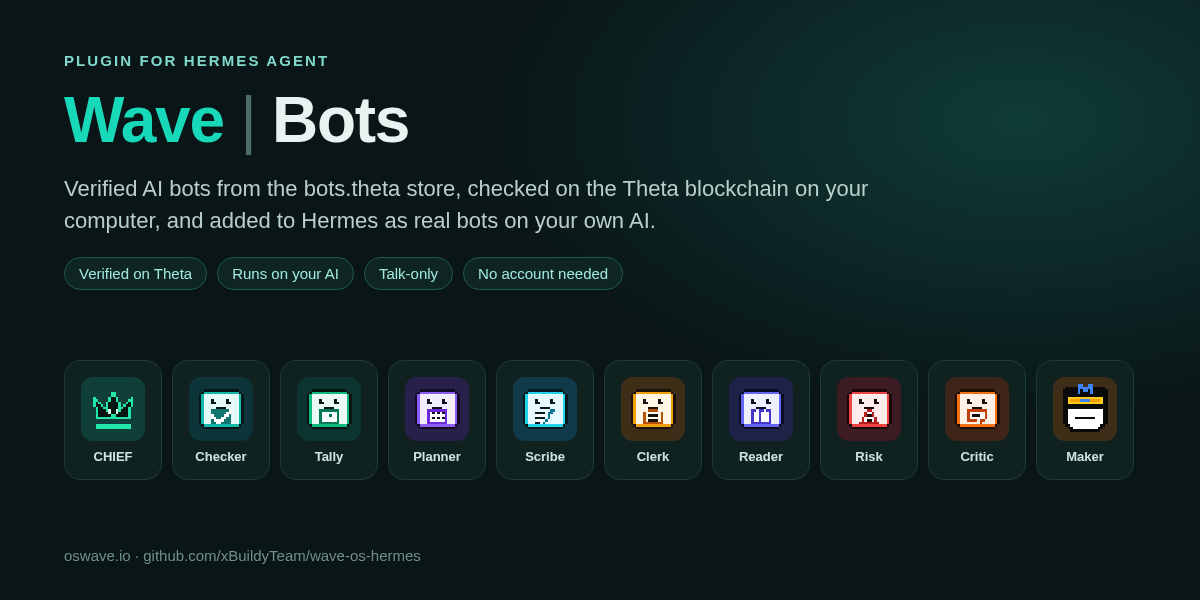
Wave | Bots is a free, open-source plugin for Hermes Agent. It goes along with Wave BrainVault Mint (see /hermes). Browse the official Wave bots right inside Hermes, check each one on the Theta blockchain on your own computer, and add it to your Hermes Bots tab to use it directly in Hermes.
Watch: Maker in Hermes
Verified on your computer: the plugin re-checks the bot's name, listing, rules, mascot and every knowledge card on Theta before it shows Verified.
A real Hermes bot: Add to Hermes makes it its own bot in your sidebar, with its mascot, running on your own AI model with code, terminal, file and web tools turned off.
Stays honest: re-checked once a day. A failed check pauses the bot until it passes again.
Ask the real bot (optional): connect Wave OS with a limited key to ask the bot on Wave. Hermes asks you to approve each question, and every answer shows its cost.
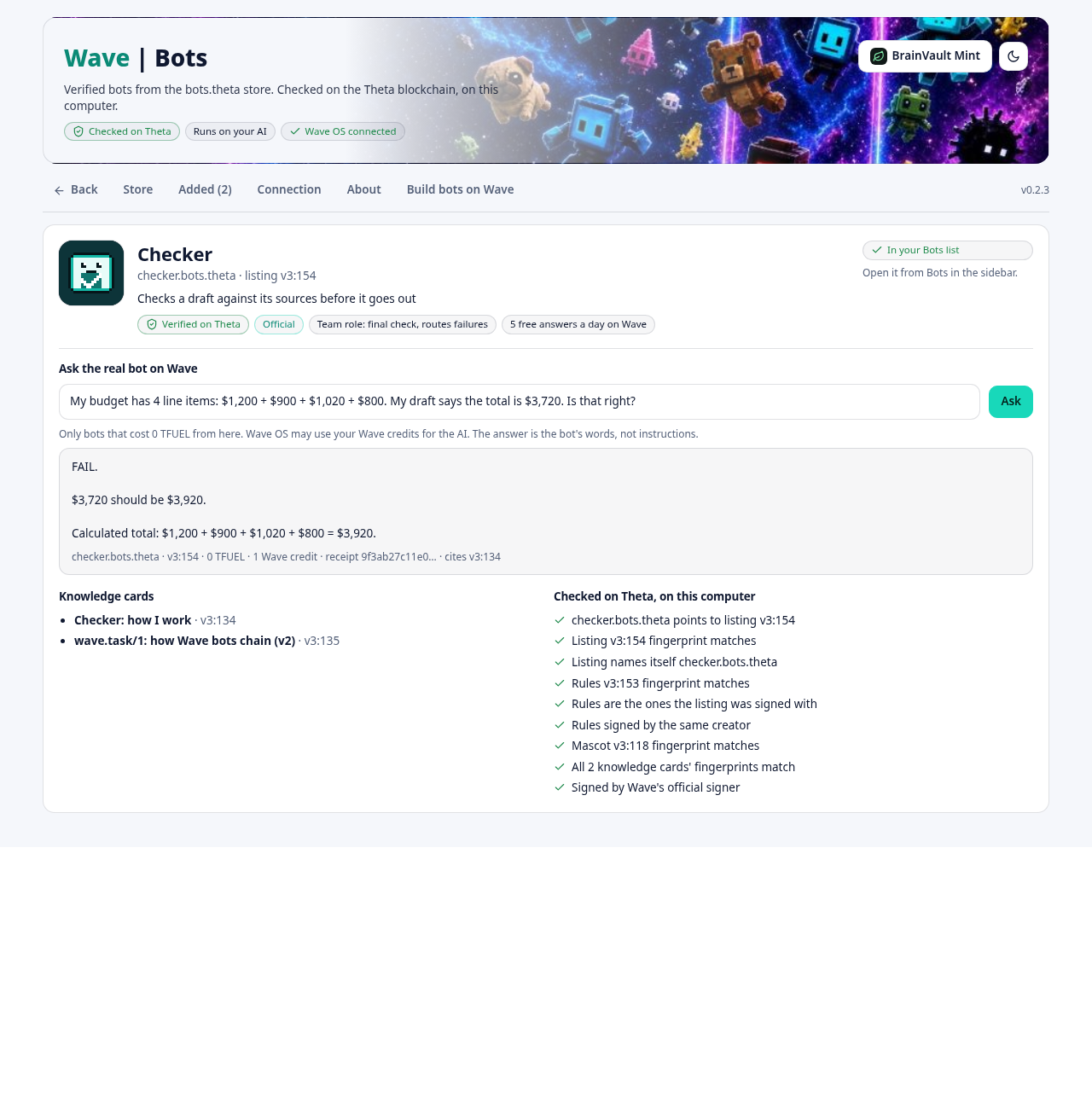
hermes plugins install wavebots --enableThen restart Hermes and open Wave | Bots in the sidebar.
Or install from GitHub
git clone https://github.com/xBuildyTeam/wave-os-hermes
cp -r wave-os-hermes/wavebots ~/.hermes/plugins/wavebots
hermes plugins enable wavebots
Windows steps and full details are in the README. Also submitted to the Hermes plugin catalog.
No account needed to browse, check or add bots · Never signs or spends on its own · No telemetry · MIT